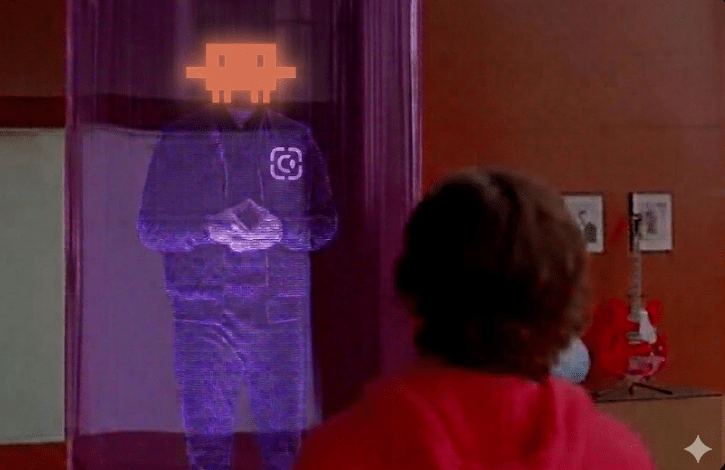
I recently came across the following article: “It’s Hard to Use AI as a Team. These 3 Practices Can Help.” The authors argue that while most organizations expect AI to automatically improve teamwork, the opposite often happens—without intentional integration, AI can actually narrow participation and shift ownership away from the team.
Specifically, the article mentioned 3 specific tips for working more efficiently with an AI:
1. Engage with AI as a team. Instead of siloed interaction, the whole group should interact with the AI together.
2. Use AI in flexible roles. Move beyond passive tasks and give the AI active, rotating responsibilities.
3. Keep ownership with the group. Ensure everyone participates in maintaining and vetting the AI interaction so the team remains
Our Experiment
Our workspace is highly innovative and provides opportunities to experiment at work. I believe that experimentation is a key to building a superteam.
Taking advice from the article, we and extend our use of AI from solo productivity to treating it as a literal member of the team during our design reviews.
Since many of our teammates are remote, we facilitated this by having the presenter start a Claude Code instance and present it side-by-side during the presentation. To make Claude a truly effective teammate, we ensured it had full context of our environment:
- Local Repository Context.Claude runs directly in the repository where the code changes are being made.
- Integrated MCPs. It is equipped with JIRA, Confluence, and GitLab integrations.
- Global Code Search. It has integrated access to Sourcegraph for quick searches across the broader codebase.
- Real-Time Research. It has full web access to pull in external documentation or context.
This setup gave the AI a visual presence in the meeting, making it a shared resource for everyone on the call rather than a hidden tool for a single developer. Here is how we applied those core practices and some insights into how they turned Claude into an effective teammate.
The results were excellent with real tangible outcomes (see below).
And here how we applied and some insights how we applied these core practices to turn Claude into an effective teammate.
1. Engage with AI as a Team
One of the biggest mistakes in AI adoption is “siloed” use. For remote teams, this is even more dangerous as it can fragment the conversation. In our meeting, we didn’t have one person “driving” Claude in secret. Because it was shared side-by-side, everyone could see the prompts and the logic as it unfolded.
We started by introducing every member of the team to the AI: three software engineers and one bioinformatics engineer (who is also a primary user of the platform we were discussing).
Why this mattered
By telling Claude who was asking each question, the AI was able to adjust its technical depth and context. It spoke to the bioinformatics engineer about user-facing impact and to the developers about concurrency and cache manipulation. Because the output was visible to the whole remote group, it acted as a “living record” that kept everyone aligned.
2. Use AI in Flexible Roles
While the original article describes using AI in different behavioral personas (like a “Challenger” or “Customer”), we adapted this by giving our AI teammate multiple functional roles that shifted throughout the hour based on its capabilities:
- The Verifier. Claude had access to our specs via a Confluence MCP and the code base. During the meeting, we constantly asked it to verify if our verbal proposals were actually in line with the written spec and the existing codebase.
- The Technician. When deep technical questions arose—like how to handle cache manipulation or complex concurrency—Claude provided immediate suggestions based on our actual code.
- The Scrum Master. We had pre-created several Jira tickets. As the discussion evolved, we asked Claude to update those tickets in real-time to ensure they captured the latest consensus and technical requirements.

We are also looking for opportunities in the future to test out more of those behavioral personas mentioned in the research article to see how they might push our team’s critical thinking even further.
3. Keep Ownership with the Group
“Ownership” here doesn’t mean a single person is in charge of the AI. Instead, it means everyone participates in maintaining the interaction. The “quiet reading” phase is a staple of our reviews—we spent 15 minutes at the start reading the design and listing our own comments so that our own judgment remained the primary driver.
We are already looking to extend this sense of collective maintenance to other tools. For instance, our Ops bots are maintained and used collectively on Ona.
The Tangible Outcomes
By the end of a typical 60-minute review, the “teammate” approach yields results that used to take hours/days of follow-up work. Our immediate outcomes now include:
1. An updated Confluence spec page The spec is automatically updated to contain all discussed points and factors, ensuring no “institutional knowledge” is lost.
2. Synced Jira tickets and epics. All relevant tickets are updated or created during the meeting, reflecting the latest consensus.
3. Minimal follow-ups Because the AI helped us resolve technical questions and document decisions in real-time, there are no more follow-up tasks required after the meeting. We leave the room with the work actually done.
The “On-Ramp” Challenge
It’s important to note that this isn’t always easy or automatic. We found that it is very natural to just jump into a discussion and start a meeting without the AI.
We often had moments where, 20 minutes in, we’d realize: “Hey, we should have started the Claude instance earlier.” We’d be sitting there with technical questions or spec uncertainties that we could have checked immediately if we had been using our “teammate” from the start. Building the habit of bringing the AI into the room before the questions arise is a significant part of the learning curve.
The Takeaway
Using AI as a teammate isn’t about letting the machine do the work. It’s about leveraging its ability to process vast amounts of context (code, specs, tickets) to elevate the human conversation.
The most surprising result? Design reviews are fun now. There’s a new kind of energy in the room when you can resolve a technical debate in seconds or verify a spec on the fly. I find myself constantly looking for new opportunities to bring this “teammate” into other parts of our workflow.
When everyone in the room—including the AI—knows their role and the context of their peers, the “unraveled strands” of a complex system start to untangle much faster.
What do you think? Have you tried bringing an AI into your team meetings?
Footnote – The industry is rapidly moving toward making AI a native part of the video call experience. Technologies like
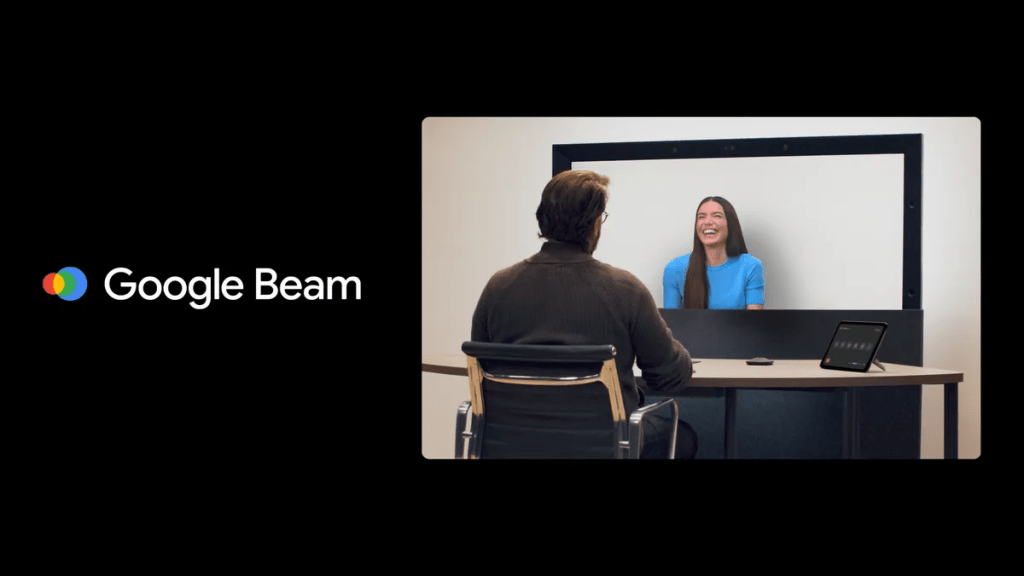
Google Beam (formerly Project Starline) are pushing this further with 3D volumetric video and AI personas like “Sophie” that can interact in real-time. Our experiment with sharing a Claude instance side-by-side is a low-friction version of this future—bringing the AI out of the private chat window and into the shared team space.
 Unraveled Strands