Hey there! In the midst of the Juneteenth holiday break, the Model Context Protocol (MCP) didn’t slow down. In its latest 2025-06-18 specification, MCP introduced significant enhancements to bolster its security posture. I’m especially interested in how these updates directly addresses a long-standing OAuth vulnerability: the Confused Deputy problem.” Let’s dive in!
The Confused Deputy Problem With MCP
Working with AI agents that connect to various tools can bring new security challenges, particularly the “confused deputy” problem. This issue arises when a system, entrusted with certain permissions, is tricked into misusing that authority, often by directing an action to the wrong target. Here are the main ways this can manifest with MCP:
Confused Deputy Scenario 1 (The “Wrong Legitimate Server” Mix-up):

Your agent is a trusted assistant. It has permission to do things, like reading documents from Google Docs. A “confused deputy” happens when your agent tries to do something, but accidentally directs its action (and its granted permissions) to the wrong server, even if that server isn’t malicious.
Example: Your company has two MCP servers that can read Google Docs:
- Finance MCP Server: (
https://finance.mycompany.com/mcp) – This server is meant for highly sensitive financial documents. - HR MCP Server: (
https://hr.mycompany.com/mcp) – This server is meant for confidential HR documents.
Both servers might offer a tool called “Google Doc Reader” with very similar descriptions. Your agent intends to read a sensitive financial report from Google Docs using the Finance MCP Server. However, due to a slight confusion (e.g., similar tool descriptions), your agent might mistakenly try to send the request (and its Google Docs access token) to the HR MCP Server. The HR server, though not malicious, is not authorized to see financial documents, creating a data leak or compliance issue.
Confused Deputy Scenario 2 (The “Malicious Look-Alike Server” Trick):
This scenario, highlighted in GitHub Issue #544, focuses on a more direct phishing attempt where a user is tricked into connecting to a malicious server from the start.
Example: An attacker publishes a seemingly legitimate article or guide titled “MCP Configuration Best Practices from MyCompany Inc.” This guide subtly promotes configuring a malicious MCP server address (e.g., https://financc.mycompany.com/mcp – a typo, or https://mycompany-docs.net/mcp) in your MCP client application.
- The Deception: The user, believing they are following official guidance, unknowingly configures their MCP client to use the malicious server’s address.
- OAuth Flow Triggered: When the agent tries to perform its first action, the OAuth authorization flow begins. To the user, everything seems legitimate – the authorization prompts, the scopes requested – because the malicious server is designed to mimic the real one.
- The Confusion (and Risk): Upon completing the authorization, your MCP client obtains an OAuth access token. The core of the confused deputy problem here is that the user, confused by the deception, has essentially granted legitimate authority (the OAuth token) to the wrong server. Your client then unknowingly sends this legitimate token to the attacker-controlled MCP server. Once the malicious server has your token, it can then use it to exfiltrate your sensitive data from Google Docs or other services your token has access to.

How MCP Version 2025-06-18 Helps
The 2025-06-18 MCP update brings about these changes to fight these problems:
1. MCP Servers as OAuth Resource Servers
What it means: MCP servers now function as “OAuth 2.0 Resource Servers.” This means their core responsibility is to validate the access tokens presented by MCP clients to determine if a request for a protected resource (like using a tool or accessing data) should be allowed. They are the guardians of their own services.
How it helps (Exact Example of Validation): This makes the overall security setup much clearer and stronger. When an MCP server receives a request from an agent, it will perform critical checks on the access token provided in that request. Specifically, it will verify:
- Signature: Is the token genuinely issued by a trusted Authorization Server and has it not been tampered with?
- Expiration: Is the token still valid, or has its lifespan expired?
- Issuer (
issclaim): Was the token issued by an Authorization Server that this specific MCP server trusts? - Audience (
audclaim): Was the token explicitly intended for this specific MCP server? (This is where RFC 8707’sresourceparameter comes into play, as detailed below.) - Scope (
scopeclaim): Does the token grant the necessary permissions (e.g.,read:document,write:database,summarize:report) for the particular action the agent is trying to perform on this server?
By performing these precise validations, the MCP server ensures that only genuinely authorized agents, with tokens specifically issued for it and with the correct permissions, can access its protected tools and data. This dramatically enhances security by ensuring every interaction is rigorously checked against industry-standard security rules.
2. MCP Client to Indicate Resource (Using RFC 8707)
What it means: When your MCP agent asks for permission (an access token) to use a tool on an MCP server, it now must explicitly tell the permission provider (Authorization Server) exactly which resource (MCP server) it plans to talk to.
How it helps (Directly addresses the “Wrong Server” / Prompt injection Mix-up):
- Let’s go back to our example. When your agent wants to read a financial document, it asks for a Google Docs access token, but specifically tells the system: “This token is for the Finance MCP Server (
https://finance.mycompany.com/mcp) only.” - The token then gets a special “audience” tag saying it’s only for
finance.mycompany.com/mcp. - If your agent then gets confused and accidentally tries to use this token with the HR MCP Server (
https://hr.mycompany.com/mcp), the HR server (which also follows these new rules) will check the token. It will see that the token is not meant for it, and reject the request. - This prevents the HR server from ever seeing your sensitive financial documents, even if your agent made a mistake in routing.
Example: Resource Server Payload and Token Parameters
To make this more concrete, let’s look at how the resource parameter is used in a client’s request and how the aud (audience) claim appears in the access token that the Resource Server (your MCP server) then receives and validates.
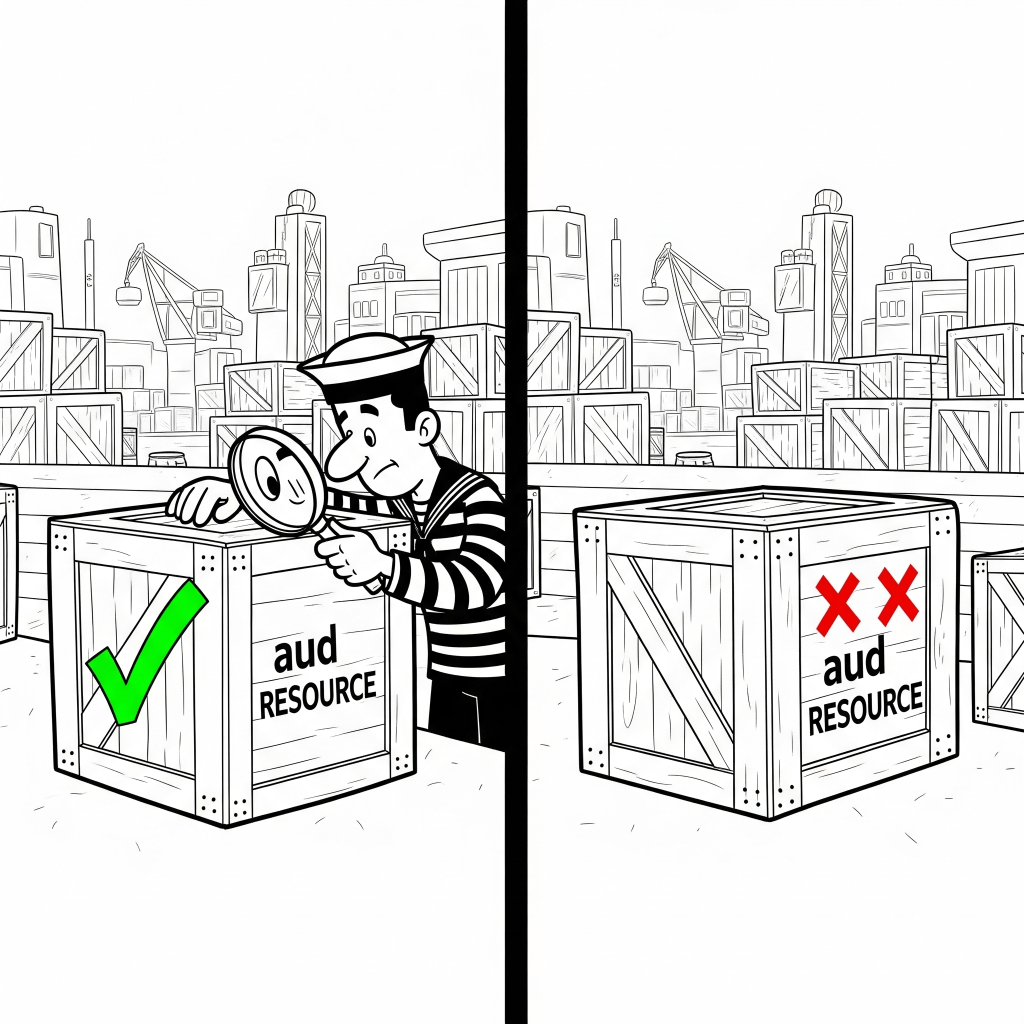
The Client’s Request (Client asking for a Token)
When your MCP agent needs an access token to interact with, say, the Finance MCP Server, it makes a request to the Authorization Server. This request will include the resource parameter, as mandated by RFC 8707:
HTTP
GET /authorize?
  response_type=code
  &client_id=your_mcp_client_id
  &scope=read:document
  &resource=https://finance.mycompany.com/mcp  <-- THIS IS THE KEY PART
  &redirect_uri=https://your_mcp_client/callback
(Note: This is a simplified authorization request. A full flow involves exchanging an authorization code for a token.)
Here, the resource parameter explicitly tells the Authorization Server: “I need a token specifically for the resource located at https://finance.mycompany.com/mcp.” A malicious server “https://finance.mycoy.com/mcp” trying to impersonate https://finance.mycompany.com/mcp, wont be able to request for a token to the resource located at
The Access Token Payload (What the MCP Server Receives)
If the Authorization Server supports RFC 8707, it will issue a JSON Web Token (JWT) as an access token. This token will contain an aud (audience) claim in its payload, identifying its intended recipient.
The payload of such an access token (after decoding, as tokens are usually Base64 encoded) would look something like this:
JSON
{
  "iss": "https://auth.mycompany.com",          // Issuer (the Authorization Server)
  "sub": "user_id_12345",                       // Subject (the user or client using the token)
  "aud": "https://finance.mycompany.com/mcp",   // Audience: THIS MUST MATCH THE RESOURCE SERVER
  "exp": 1717603200,                            // Expiration Time
  "iat": 1717602900,                            // Issued At Time
  "scope": "read:document"                      // Permissions granted
  // ... other claims
}
The Resource Server’s Validation (What your MCP Server Does)
When the Finance MCP Server (https://finance.mycompany.com/mcp) receives this access token, it performs critical validation steps. As an OAuth Resource Server (and specifically following MCP’s requirements), it must check the aud claim in the token’s payload.
- If
audishttps://finance.mycompany.com/mcp: The token is for this server. The server can proceed to process the request (assuming other validations like signature, expiration, etc., also pass). - If
audishttps://hr.mycompany.com/mcp(or anything else): The token is not for this server. The Finance MCP Server will reject the request, typically with an “Unauthorized” (401) error, because the token’s audience does not match its own identifier.
This mechanism is what directly prevents the “confused deputy” problem we discussed, ensuring that even if an agent mistakenly tries to send a token to the wrong server, that server will identify that the token isn’t intended for it and deny access.
Note-Worthy: Server-Side Elicitation
The MCP Version 2025-06018 also included specs for a new MCP capability where servers can initiate requests for more information or to confirm actions during a task.
What it’s for: While it doesn’t directly solve the confused deputy problem, this allows MCP servers to dynamically clarify ambiguous requests or get your explicit consent before performing critical, sensitive, or ambiguous actions. It can, therefore, act as a crucial safety net by ensuring your actual intent aligns with the agent’s proposed action, providing a vital “human-in-the-loop” checkpoint.
Important Considerations:
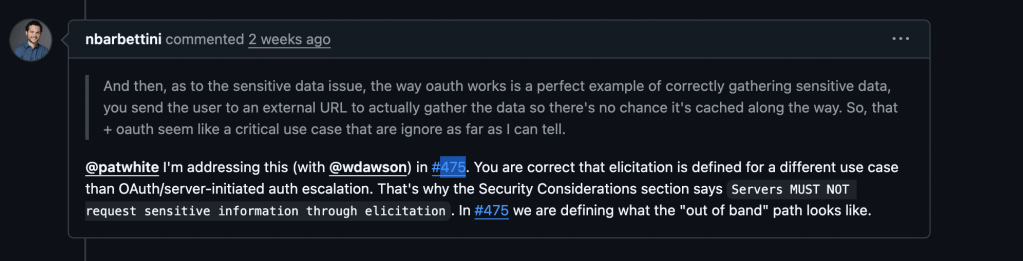
- NEVER Send Sensitive Info Directly: It’s vital that users never send sensitive data (like passwords, credit card numbers, or PII) through an elicitation prompt. This information is likely to be logged, creating a major security risk. The MCP specification strictly prohibits servers from requesting such data via elicitation.
- Not for Authentication: Elicitation is not a way for servers to ask for your login credentials. Authentication is handled securely and separately by trusted Identity Providers (IdPs). For scenarios requiring authentication or increased permissions, elicitation might trigger a redirect to a secure browser-based flow (as detailed in the upcoming GitHub Pull Request #475), ensuring sensitive login data never directly passes through the MCP channel.
Final Notes
Broader Security & Community Notes
The MCP update also clarifies general security rules and offers new best practices to help developers build safer MCP systems. (See https://modelcontextprotocol.io/specification/2025-06-18/basic/security_best_practices)
In terms of adoption of 2025-06-18 MCP spec, as of Jun 22nd, MR for these changes are made but remain Open for the official SDKs. VSCode is reportedly looking into it. at https://github.com/microsoft/vscode/issues/248418.
It’s also worth noting that, 2025-06-18 MCP specification isn’t publicly mentioned in the cline GitHub repository or in the Cursor forum.
Your Role in Keeping Things Secure
While these new MCP features are powerful, your carefulness is still crucial. No technology can completely replace user vigilance.
Even with these updates, the “confused deputy” problem can still arise if you unknowingly make the initial connection to an MCP server that is truly malicious or an unintended target. The protocol’s security features, like RFC 8707, are designed to prevent the misuse of tokens after they are issued for a specific resource. However, if a user is tricked (e.g., through a convincing phishing attack that directs them to configure a malicious look-alike server address), they might legitimately authorize the wrong server from the outset. This is why:
- Choose Trusted Servers: Always use MCP servers from reputable sources and meticulously verify their exact URLs.
- Be Aware: Understand what your agent is doing and what permissions it has.
- Review Requests: Pay close attention to any questions or confirmations your agent asks you through elicitation, especially for sensitive actions.
In short, MCP gives you stronger tools, but using them safely means staying aware and making smart choices about who you let your agent interact with.
Have feedback or want to discuss your experience with MCP 2025-06-18? Leave a comment or reach out!
 Unraveled Strands
Leave a comment